If you’re starting an online business, chances are you’ve wondered whether you really need a website.
After all, social media platforms are free, easy to use, and already have millions of users. However, relying entirely on social media means building your business on borrowed land.
A website gives you a place that you own. It’s where potential customers can learn about your business, explore your content, join your email list, and eventually purchase your products or services.
The good news is that building a professional website is much easier than it used to be. You don’t need to know how to code, hire a designer, or spend thousands of dollars to get started.
In this guide, I’ll walk you through the essential steps to creating a website that looks polished, feels trustworthy, and supports your business goals.
In This Guide
✓ Choose a domain name
✓ Select website hosting
✓ Plan your website pages
✓ Create a cohesive design
✓ Add important business pages
✓ Optimize for user experience
✓ Launch with confidence

Why Every Online Business Needs A Website
While social media can be an excellent way to connect with your audience, it shouldn’t be the only place your business exists.
Platforms change.
Algorithms change.
Accounts get restricted.
Trends come and go.
Your website, on the other hand, is your digital home.
A website allows you to:
- Build credibility
- Collect email subscribers
- Share helpful content
- Sell products
- Promote services
- Showcase your expertise
Even if you’re just getting started, having a website helps your business appear more established and trustworthy.
“A website isn’t just a place people visit—it’s a place where your business grows.”
Step 1: Choose a Domain Name
Your domain name is your website address.
It’s how people will find you online.
When choosing a domain name, try to keep it:
- Short
- Easy to spell
- Easy to remember
- Relevant to your business
Avoid unnecessary numbers, symbols, or complicated spellings whenever possible.
If your preferred domain isn’t available, try slight variations while still keeping it simple and professional.
Your goal is to make it easy for people to remember and type correctly.
Step 2: Choose Reliable Website Hosting
Once you have a domain name, you’ll need website hosting.
Think of hosting as the land your website sits on.
A good hosting provider helps keep your site:
- Fast
- Secure
- Reliable
- Accessible to visitors
As a beginner, look for hosting that includes:
- WordPress installation
- Free SSL certificate
- Website backups
- Helpful customer support
The easier the setup process, the faster you’ll be able to focus on creating content and growing your business.
Website Tool I Recommend
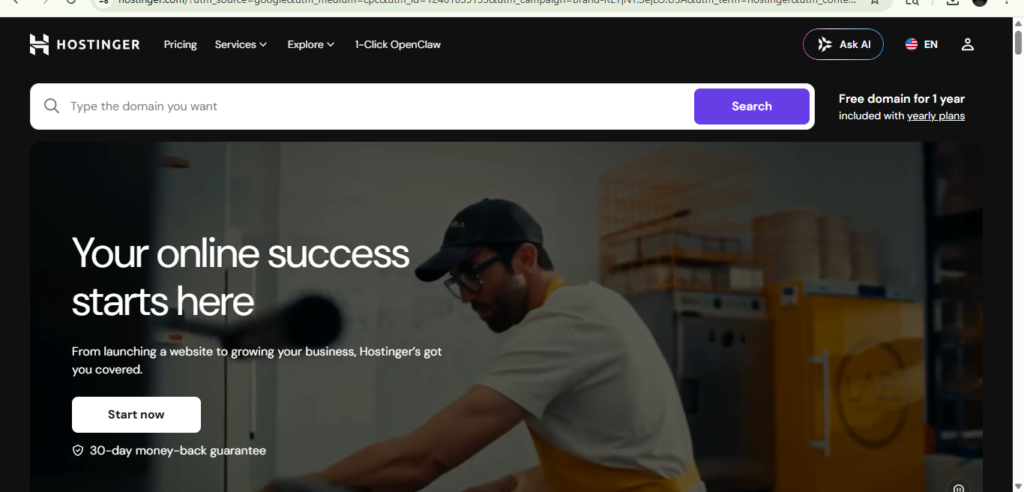
If you’re looking for beginner-friendly website hosting, Hostinger makes it easy to launch a professional website without needing technical experience. It includes domain registration, hosting, security features, WordPress installation, and helpful tools to get your business online quickly.
Step 3: Plan Your Website Structure
Before designing anything, take a few minutes to think about the pages your website needs.
For most online businesses, start simple.
A basic website might include:
- Home
- About
- Blog
- Resources
- Contact
You can always add more pages later.
One of the biggest mistakes new business owners make is trying to create everything at once.
Instead, focus on building a solid foundation first.
A simple website that is easy to navigate is much more effective than a complicated website that overwhelms visitors.
New to Online Business?
Before building your website, make sure you’ve created a strong foundation for your business.
Step 4: Create a Cohesive Design
Your website design should reflect your brand.
This doesn’t mean everything needs to be perfect.
Instead, focus on consistency.
Use the same:
- Colors
- Fonts
- Visual style
- Voice
throughout your website.
Consistency helps visitors feel comfortable and creates a more professional experience.
A simple design with plenty of white space often performs better than a cluttered website with too many colors and graphics.
Need Help With Branding?
A strong website starts with a strong brand. Learn how to choose your colors, fonts, and visual identity.
Step 5: Create Helpful Content
Once your website is live, content becomes one of your most valuable assets.
Blog posts help people:
- Discover your website
- Learn from you
- Trust your expertise
- Join your email list
Every blog post becomes another opportunity to attract visitors from search engines and Pinterest.
Instead of focusing only on selling, focus on helping.
Helpful content builds trust, and trust often leads to growth.
Step 6: Build Your Email List From Day 1
Many new business owners wait too long to start collecting email subscribers.
However, your email list is one of the few marketing assets you truly own.
Even if you only have a handful of subscribers, start now.
Offer a helpful free resource and invite visitors to join your newsletter.
Over time, those subscribers can become loyal readers, customers, and supporters of your business.
Grab the Free Business Bloom Starter Kit
Plan your business foundation, branding, content, goals, and next steps with this beginner-friendly free resource.
Common Website Mistakes to Avoid
✗ Waiting until everything feels perfect
✗ Using too many fonts
✗ Cluttering pages with unnecessary elements
✗ Ignoring mobile users
✗ Forgetting email list signup opportunities
✗ Trying to build every page at once
Remember, your first website doesn’t need to be perfect.
It simply needs to exist.
You can improve and expand it as your business grows.
Remember This
A professional website isn’t built in a day.
It’s built one page, one blog post, and one improvement at a time.
Focus on progress rather than perfection. The sooner your website is live, the sooner it can begin working for your business.
Let’s Build Something Beautiful Together
Ready to grow your business online? Explore helpful resources, creative business tools, templates, and support designed to help your online business feel more organized, polished, and ready to grow.
Join The VirtuBloom Newsletter
Get free business resources, creative tips, launch support, digital tools, and thoughtful inspiration delivered straight to your inbox.
Leave a Reply